You Made a Website With Claude. Now What?
Last updated: July 2026. This post is kept up to date as tools and best practices change.
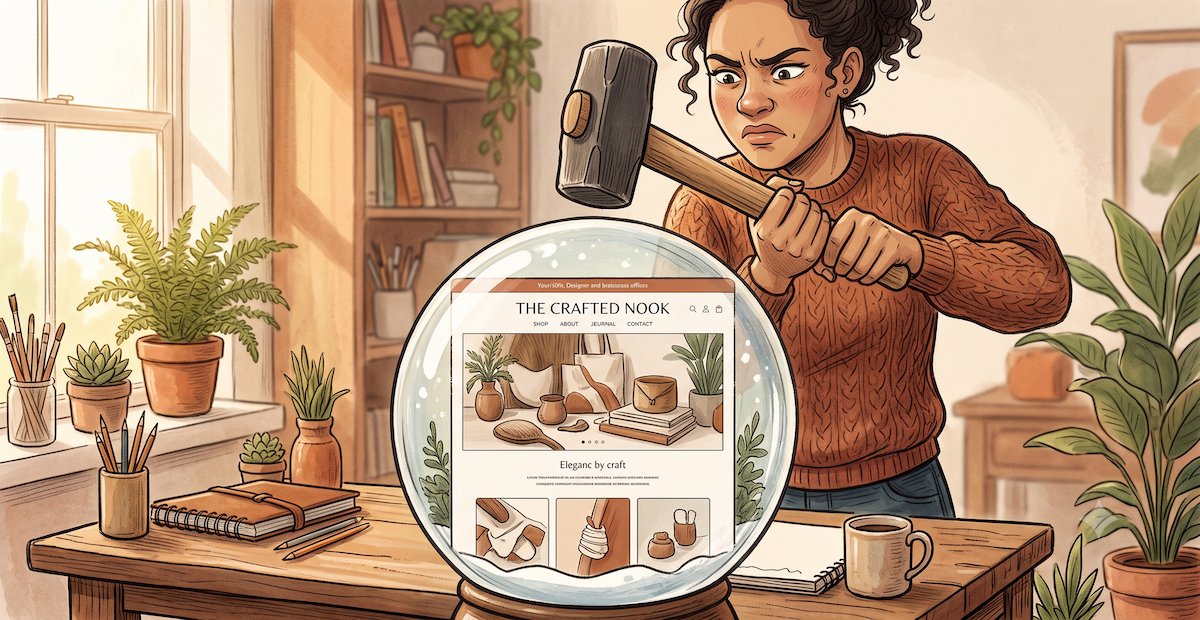
You made it. You love it. You cannot for the life of you get it onto the internet.
A few weeks ago, a client of mine — a lovely author who writes better than I do about pretty much everything — sent me a message that started with "so this is embarrassing, but…"
She had spent an entire Sunday with Claude designing her new author website. It looked great! Beautiful typography, thoughtful layout, a section for her book, a bio that actually sounded like her instead of like a LinkedIn headline. She was proud of it. I was proud of her!
She also had absolutely no idea what to do with it.
"It's just… on my desktop," she said. "In a folder. Is that where websites live?"
Reader, they do not.
If you're reading this, I suspect you already know that feeling — the specific flavor of frustration where you've made a thing that looks GREAT and now realize you have no clue how to get it from your laptop to the actual internet. You are not alone. You are not, despite what your teenager might say, technologically hopeless. You just walked into a very real gap that nobody bothered to warn you about.
Let me tell you about the gap.
The Part Claude Leaves Out
Here's the thing about building a website: design and launch are two completely different jobs, and AI has gotten really good at the first part, but tends to forget about the second part.
Claude can absolutely help you design a good-looking website. It can help you write it, structure it, style it, and hand you a folder of files that, if you opened them on a computer that already had a browser set up correctly, would in fact display a website. This is a genuinely impressive thing. A few years ago this wasn't possible, and it’s great for small business owners.
The problem is that "produce a design" and "run a website on the internet" are about as similar as "cook a great dinner" and "open a restaurant." They involve some of the same ingredients. They are otherwise unrelated.
The launching part — the part between "I have files" and "my bff can Google me and find my site" — involves a whole separate vocabulary of things nobody has ever explained to you unless you happened to work in tech. Hosting. DNS. Deployment. SSL certificates. Form handlers. Analytics. Whatever the hell a "build step" is. There is a genuinely reasonable, non-embarrassing explanation for why you don't know any of this: it's a separate profession.
Traditionally, hiring a web designer meant hiring someone who either handled the launch themselves or coordinated it with a developer. So now, AI became your designer, but skipped the developer handoff part—which is why you are where you are.
Okay But How Do I Actually Do This?
There are three main paths: deploy the site yourself, put it on a content management system so you can edit it later, or hire someone to launch it properly. Let me walk you through them.
Option 1: Deploy It Yourself- The Easiest, Fastest & Free-ish Path
The fastest way to get your Claude site online for free is to deploy it (a fancy word for "publish it live on the internet") as a static site on Netlify or Vercel. If you have a static site — meaning your site doesn't contain a database or a login system, just pages of content — you can actually get this online yourself, for free, in about twenty minutes. Seriously! If you need e-commerce, memberships, or anything more complex than a set of pages, static hosting isn't the right path for you — skip to Option 2 or Option 3.
So. What are Netlify and Vercal? They are hosting services — basically, places on the internet that store your website and show it to visitors when they type in your URL. Both let you essentially drag a folder onto a webpage and they turn it into a live website.
Here's roughly how it goes:
1. Make an account on either Netlify (netlify.com) or Vercel (vercel.com). They're both free to start. One important asterisk: Vercel's free "Hobby" tier is technically for non-commercial use only — so if your site is for your business (and if you're reading this, it probably is), Netlify is the more honest choice at the free tier. Vercel is great, but you'd be looking at $20/month on their Pro plan to stay above board. But you do you, no judgment.
2. Drag your folder in. Netlify literally has a big box that says "drag and drop your site folder here." Do that. It uploads. It gives you a website. It has a URL that looks like “wonderful-panda-9284.netlify.app” and yes, that's real, and no, that isn't the final URL, we'll fix that in step three. If you want a walk-through of this process with screenshots, Netlify's official quickstart guide covers this step in more detail.
3. Connect your domain. This is where you take the actual domain you own — something like yournamehere.com, which you probably bought on GoDaddy or Namecheap — and point it at your new site. This involves logging into wherever you bought your domain, finding something called "DNS settings" (usually buried behind a link named "Advanced DNS" or "Manage DNS," because your registrar believes you enjoy scavenger hunts), and adding what's called an A record or a CNAME record with the exact values Netlify gives you. Netlify's official domain setup guide has the exact DNS values you'll need and covers the quirks of major registrars like GoDaddy, Namecheap, and Cloudflare. (Heads up: DNS changes can take anywhere from a few minutes to a full day to actually work. If your site isn't loading right after you update settings, wait an hour before assuming you did something wrong.)
4. Test everything. Open your site on your phone. Open it on your laptop. Ask a friend to open it. Click every link. Fill out every form. Notice all the things that don't work.
You will discover, at this stage, that: the contact form doesn't actually send you email, the site looks weird on your iPhone in a way it didn't in Claude's preview, Google can't find your site at all, and something you thought was a button turns out to be a picture of a button.
That's normal. That's the gap between "a design" and "a working website." Fixing all of that is the second job.
A quick note on mobile: Roughly half of your visitors will be on their phones, so this is super important. The good news is you can head most of this off before you even deploy. Before you download your files from Claude, ask it to make sure the design is mobile-responsive, then open the preview on your phone. If things look broken, tell Claude what's broken and ask it to fix it. Rinse and repeat until your phone view looks right.
A quick note on forms: the contact form Claude built for you probably looks like a form but doesn't actually send you email. That's because a form needs a "form handler" — a separate service that catches the submission and forwards it somewhere. Setting one up (Formspree and Netlify Forms are the two most common) is doable but fiddly, and involves signing up for another service and pasting some code into your files. If forms are core to your business (contact requests, lead capture, booking), this is one of the biggest gotchas of the DIY path.
A quick note on updating your site: Once it's live, you might be wondering how you actually change anything. And honestly? One genuine option is to just go back to Claude, ask it to modify the files, re-download them, and drag the new folder into Netlify again. This works fine for a site you update twice a year — a landing page, a simple portfolio, a "here's what I do and how to reach me" site. It becomes a small part-time job if you're publishing a weekly newsletter, adding new services monthly, swapping out seasonal photos, or announcing regular events. Every change means opening Claude, describing what you want, downloading files and uploading files. Doable, yes, but maybe not how you want to be spending your time. I don’t know. You decide.
If that sounds unappealing, Option 2 is calling.
Option 2: Put It On A CMS - The "I Want To Update This Later" Path
If you want to be able to update your site yourself without going back to Claude every time, you'll want to put it on a content management system (CMS). A CMS is an editable dashboard for your website. You log in, you change some words or swap out a photo, you hit save, the site updates. No re-Claude-ing. No re-downloading. This is what most business websites use.
The bad news: you can't really just "put your Claude files into a CMS." It’s actually more of a rebuild. Your Claude design becomes the blueprint, and someone (you or someone else) recreates it (i.e., “develops” it - in case you’re wondering where the word “developer came from”) inside a platform like Webflow, WordPress, Squarespace or Framer, where the content is editable through a friendly interface instead of by editing code. (Squarespace and other template-based platforms will constrain the design somewhat — you're building within the platform's structure, not replicating pixel-for-pixel. Webflow and Framer give you more design flexibility if that matters to you.)
The good news: once it's done, you never have to touch code again! You get a login, you edit stuff using a friendly interface, and life is good.
This is more work than Option 1 but it’s also what most small business owners actually want and need.
Option 3: Hire Somebody
If you'd rather skip the whole DIY process and hand your Claude files to someone who does this for a living, you can hire a web designer or agency to launch your site for you. You knew this was coming. It's my blog, after all!
A landscaper I worked with recently came to me having spent her own weekend building a Claude landing page for her business. It was actually really nice! She then spent another weekend trying to get it online, gave up around Sunday afternoon, and called me on Monday morning sounding like a woman who had made peace with paying somebody.
Some people genuinely enjoy learning DNS settings and comparing form-handler plugins on a Saturday. And if that’s you, you should do it. It’s truly not “hard”, and I find it pretty fun. Maybe you will too! So if you’re inspired - I encourage you to go for it!
Most small business owners, however, do not find this fun, and simply want to run their business, not moonlight as a part-time web developer. If you fall into that second camp, hiring somebody to handle the launch — and the ongoing "why isn't my form working" problems, and the mobile fixes, and the basic SEO that Claude doesn't really do, and the CMS setup so you can actually update things yourself — is not a failure of grit. It's a normal, reasonable division of labor.
That's what we do. If you'd rather skip the weekend of DNS panic and just have a working site, we'll take your Claude files, launch them properly, put them on a CMS if you want one, fix the mobile issues, hook up the forms, wire up analytics, and hand it back to you as a real, editable, working business website. Curious what this looks like in practice? Here's exactly what we handle and what it costs →
Book a call with me if you’d like to chat about it.
And if you decide to DIY this, I hope the walkthrough above saves you a Sunday. Send me a note if it did!
Frequently Asked Questions
Can I use my Claude-generated website with Squarespace or Wix?
Not directly. Squarespace, Wix, and similar platforms are closed systems — you build sites inside their editor, not by uploading your own HTML files. If you love your Claude design and want to move to Squarespace, you or someone would need to recreate the design inside Squarespace's editor. It's doable, but it's a rebuild, not an upload.
How long does it take to launch a website built with Claude?
If you're doing it yourself with Netlify and a simple static site, plan for around 3-6 hours of active work, plus waiting on DNS to propagate. If you're hiring someone to launch it (with a CMS, mobile fixes, forms, and analytics), most projects take 1-4 weeks depending on complexity.
Do I need to know how to code to launch a site I made with Claude?
To do a basic static deploy on Netlify — no, but you do need to be comfortable with (or willing to become comfortable with) settings menus, DNS records, and troubleshooting when things don't work as expected. To do it well (with a CMS, working forms, mobile optimization, SEO) — you either need to learn a bunch or hire someone.
What if I want to update my Claude-generated site later?
You have two options: go back to Claude, ask it to update the files, and re-upload the new folder to Netlify (works for infrequent updates), or move to a content management system like Webflow or WordPress where you can edit content through a friendly dashboard (better if you update often).
Is it worth hiring someone if I already have the design done?
Depends on your time and how much you want to become a part-time web developer. For most small business owners, the launch, CMS setup, mobile fixes, forms, and SEO basics are worth paying for — the design work is only 40-50% of what makes a website actually work as a business asset.